Jobs and run details
Long-running work runs as a background job: syncing a data source, ingesting uploaded files, indexing documents, or executing a managed notebook block. Jobs run outside the request that started them, so the page is also the record of what Kontext ran and when.
The job list
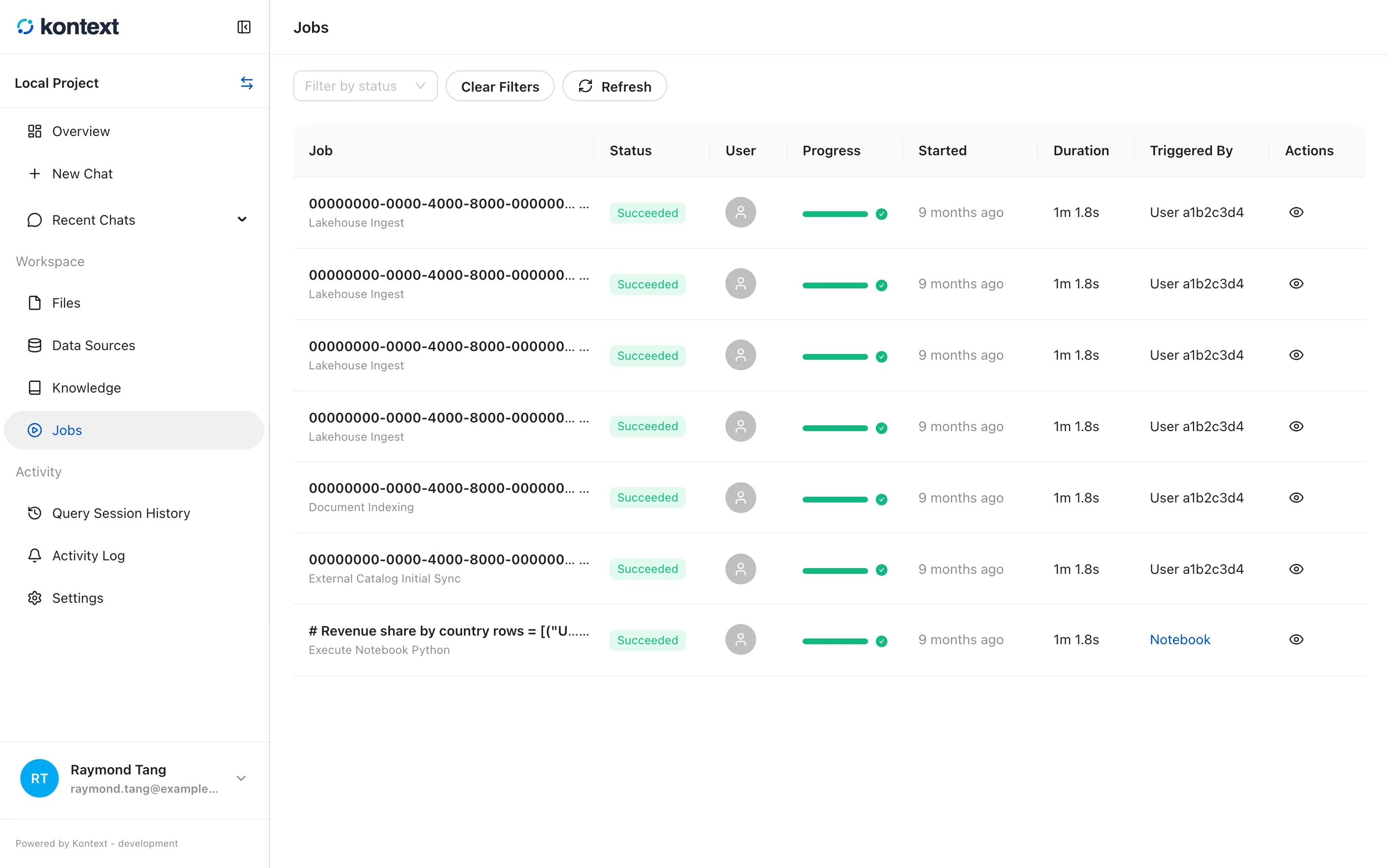
Section titled “The job list”Open Jobs in the project sidebar. Each row shows the job id, its name, status, the user, progress, start time, duration, and trigger. Filter by status and Refresh narrow the list; the actions on the right open the run, edit its parameters, or cancel a queued run.
- Jobs lists background runs with their status, trigger, and timing. Filter by status or refresh the list.
Run details
Section titled “Run details”Select the eye icon on a run to open Job Run Details. The drawer has three tabs:
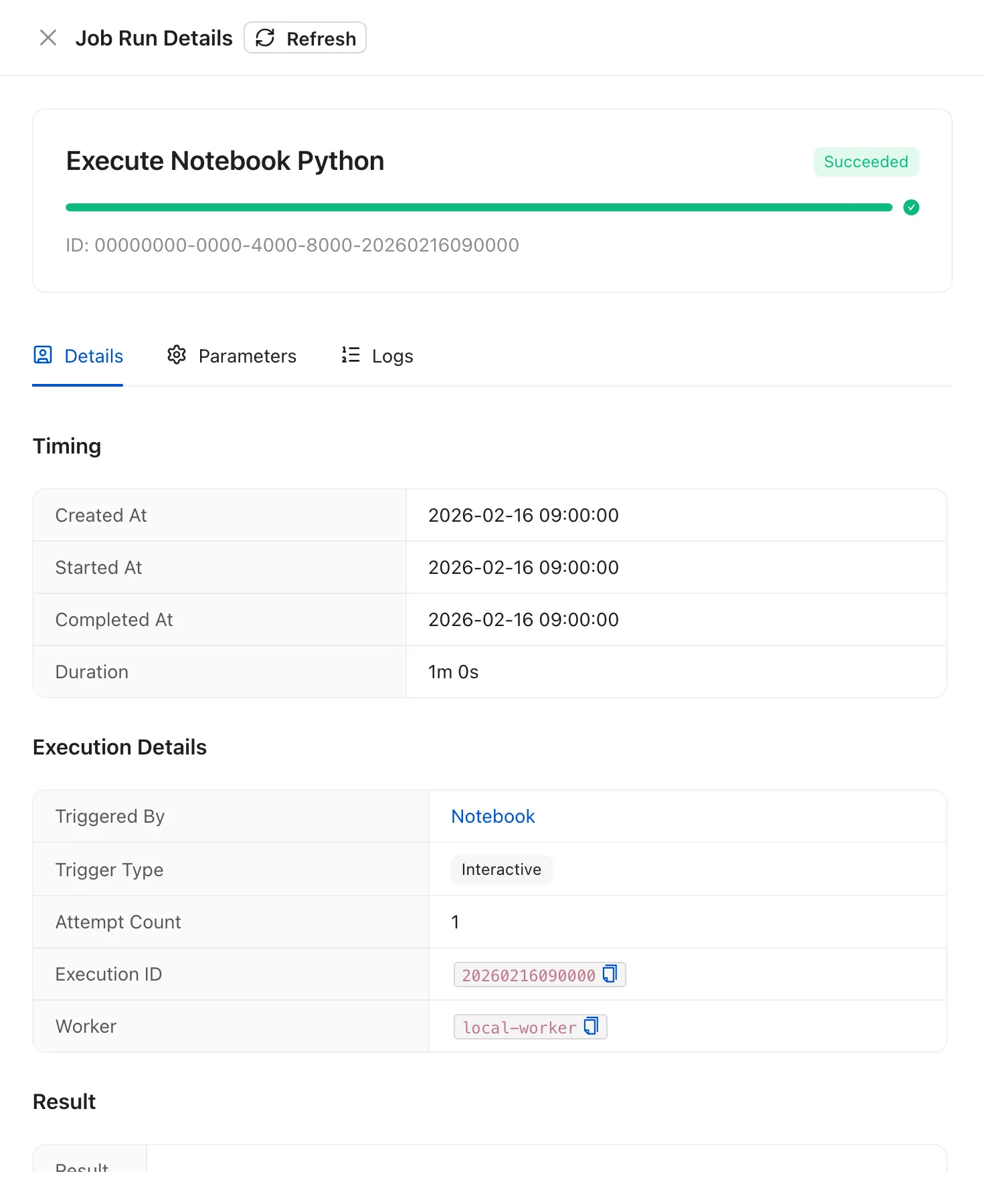
- Details shows the status, timing, trigger, attempt count, execution id, and worker.
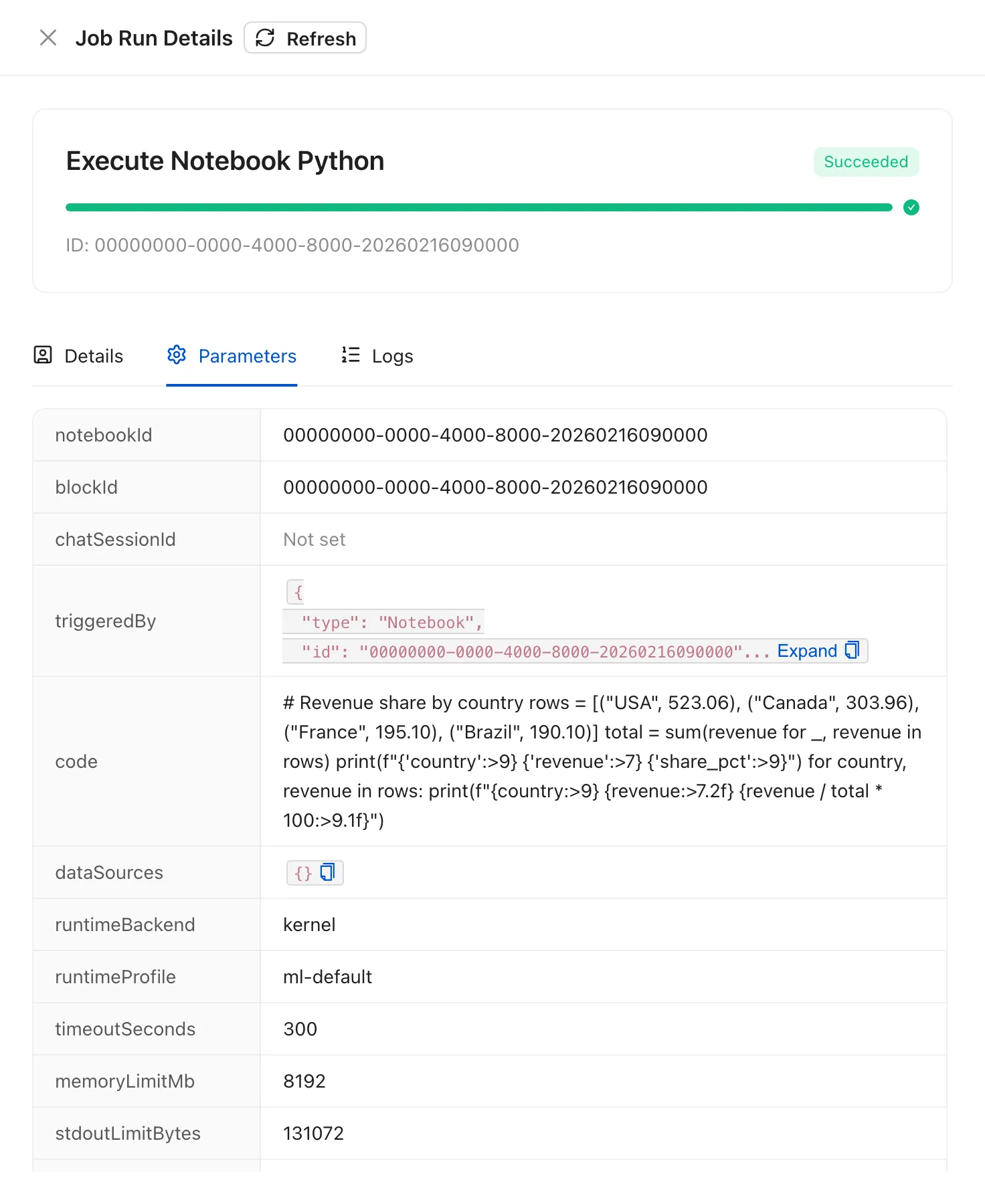
- Parameters shows the payload the run was queued with.
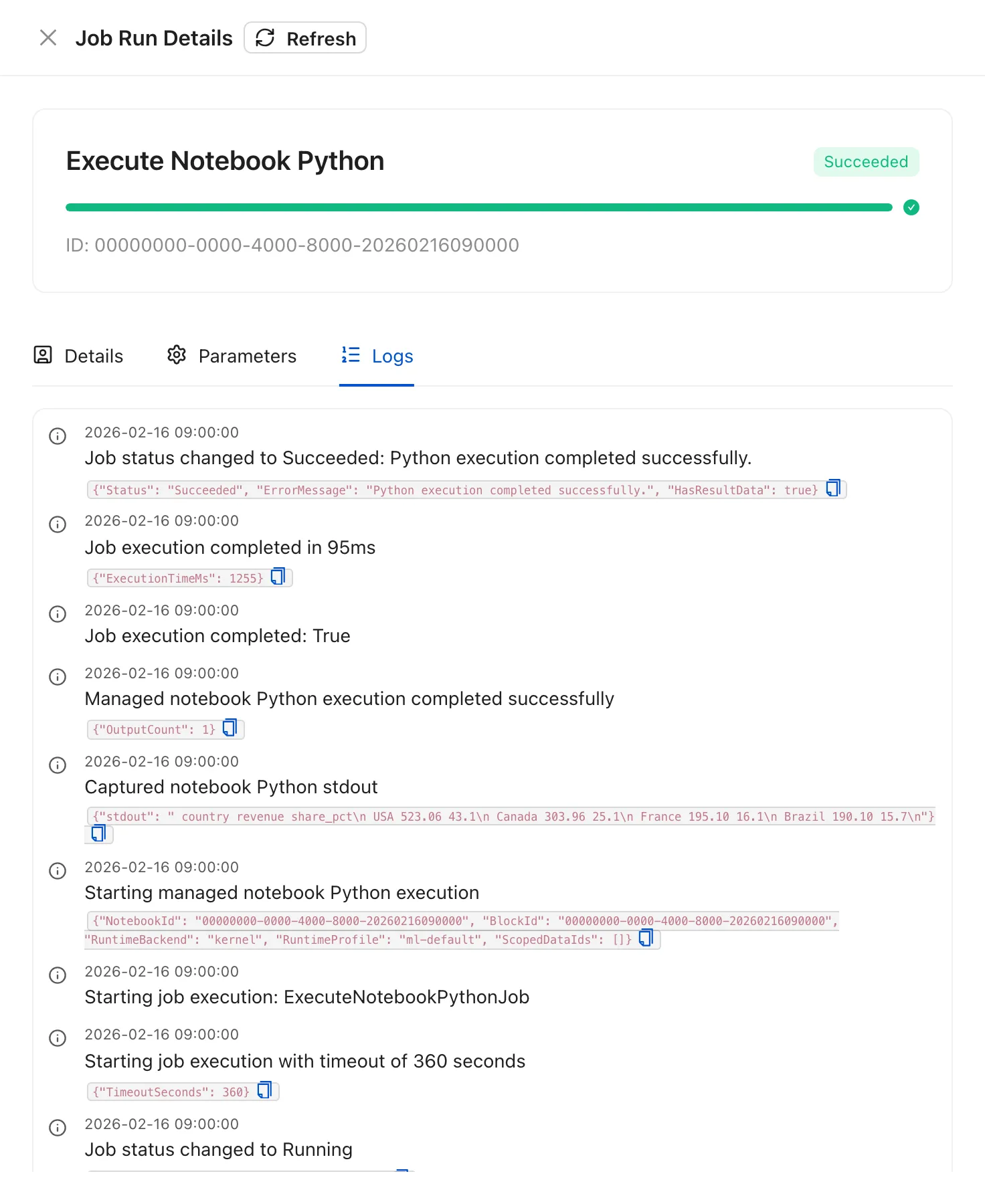
- Logs shows the run log lines.
The same drawer opens from a SQL or Python block’s Run details link, so you can check what an execution actually did without leaving the notebook. Chart blocks render their data in the browser and do not create a job run.
- Select the eye icon on a run to open Job Run Details. Details shows the status, timing, trigger, attempt count, execution id, and worker. The same drawer opens from a notebook block’s Run details link.
- Parameters shows the payload the run was queued with, so you can check what a run was asked to do.
- Logs shows the run’s log lines, including the captured output and timing for a Python execution.